Bulk actions: Selection or intent first?
Reimagining bulk actions for complex lists where standard checkbox patterns fail.
I was designing a feature to allow managers to perform batch actions on multiple transaction cards at once. The specific requirement was to implement actions like "Lock Card," "Change Credit Limit," or "Update Status" across a list of dozens of items.
My first instinct was to use the standard "Gmail" pattern: put a checkbox on every row and place the action buttons in the header. But as soon as I mocked it up, I hit a significant logic and error prevention problem.
The problem with persistent checkboxes
In a generic listing page, the primary user goal is to read and scan the data. The bulk action feature is secondary, used perhaps periodically. The persistent checkbox column added visual clutter, consuming horizontal space permanently for a tool that was rarely used.
More critically, this approach failed because of complex business rules. Not all cards were eligible for every action. For instance, a card might be "Already Locked," "Not Activated," or are card types that prevents certain bulk limit changes.
This created a fundamental state conflict:
- If I put a checkbox on every row, users assume they can select anything.
- If I disable the checkbox on an ineligible card, the user is immediately confused: "Why is this item disabled? Is it a bug? Can I still select this item for other actions, like exporting the data?"
The standard "Select First" pattern was failing because it implies all items are equal. In our rule-based system, they were not, leading directly to user frustration and potential errors.
Switching to "intent first"
I realised that the standard pattern prioritizes the selection mechanic over the user's explicit goal. We needed to solve for error prevention by communicating the constraints clearly, not just for risk management, but for any action that cannot be performed on every item.
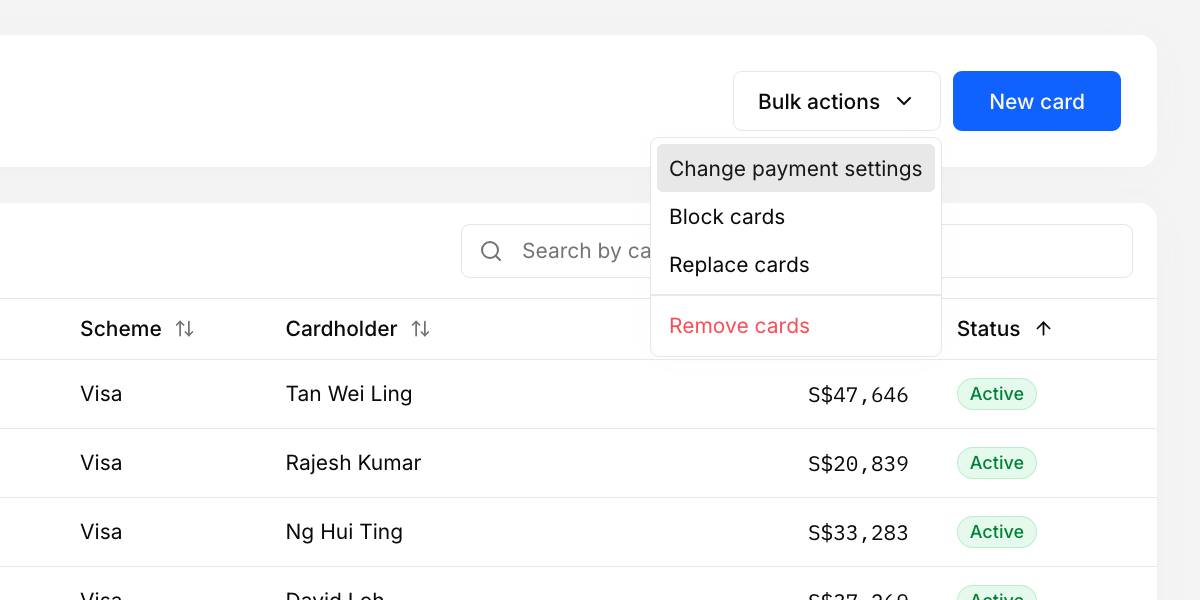
I decided to flip the interaction model. Instead of Selection First (Checkboxes), I moved to Intent First (Action), removing the persistent checkboxes and added a single "Batch Actions" dropdown button.
The downside of intent first
The primary trade-off is the increased interaction cost. Users who perform bulk actions frequently now have to click the "Batch Actions" button before they can begin selecting. However, we determined that the cost of this extra click was far outweighed by the reduction in cognitive load and the prevention of selection errors caused by the ambiguous checkboxes.
The dedicated "batch mode"
Clicking "Batch Actions" triggers a dedicated mode for bulk editing. The UI shifts, and the constraints immediately become clear because the context changes from "General Browsing" to "Specific Action Mode."
- Action Selection: The user first chooses the specific action they want (e.g., "Change Limit," "Lock Cards").
- Constraint Filtering: The UI dynamically adjusts to show only items eligible for that specific action.
- Visual Clarity: Ineligible items (e.g., already locked cards) are faded out or hidden. Checkboxes appear only on eligible items.
By entering a specific mode, we removed the ambiguity. Users no longer wonder why a card is disabled; it's disabled because they are in a specific mode and that card cannot accept the chosen action. This approach ensures high data integrity and prevents mistakes.
The takeaway
Context changes the pattern. For simple lists like email, where every item is functionally the same, persistent checkboxes work. But for complex systems with strict business rules and item-specific constraints, this "Intent First" model is essential. It prevents errors, keeps the UI clean for the majority of users, and makes the application's constraints crystal clear for the power users who need them.