Finding layers in Figma using CSS selectors
Developed a Figma plugin that helps me audit and refactor my design files more efficiently.
Published 18 May 2026
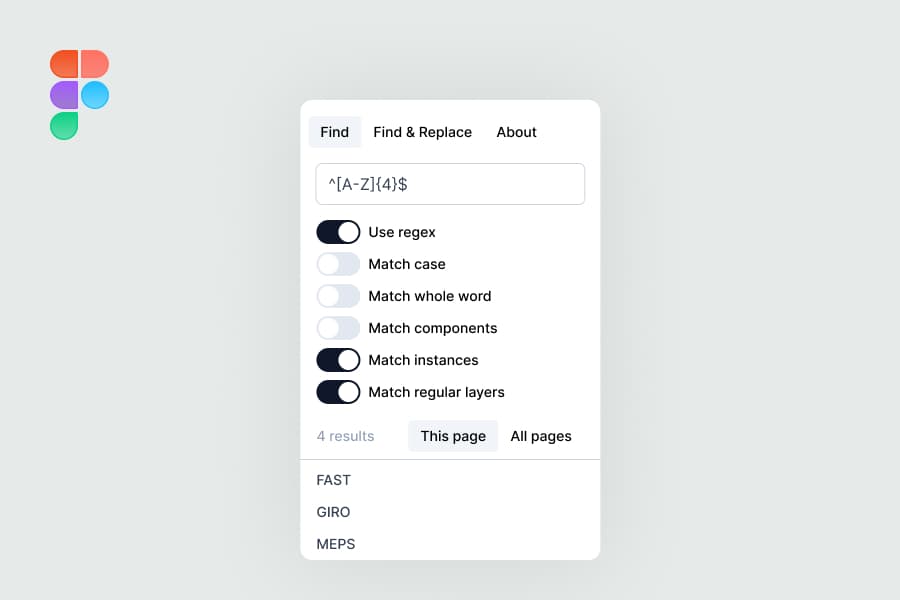
MatchLayers is a Figma plugin that allows you to find and select layers using CSS selector syntax. By leveraging a familiar expression language, it turns a tedious, manual clicking process into a single, powerful search query.
If you want to try the plugin yourself, you can find MatchLayers on Figma Community here.
Why I built it?
As a project progresses, I often find myself needing to refactor the deisgn file in order to scale. This usually involves a lot of checks across existing components and templates, before making updates that may break flows that are already using these. There are great plugins out there like Similayer, or perhaps even just the select matching layers feature in Figma, but I couldn't find a tool that lets me target and select specific layers matching certain criteria. For example:
- What if I need to find the first child of every "Row" layer?
- What if I need to select every horizontal Auto Layout frame that is not an instance but a master component to update a gap spacing?
Doing this manually takes hours. I wanted a way to programmatically query the Figma canvas the same way a developer queries the DOM. QuerySelector maps the logic of CSS selectors directly onto Figma's node architecture. By using tokens, combinators, and pseudo-classes, users can target layers by name, type, attributes, and relationships.
Which comes with its own challenges
In the first iteration, the plugin relied entirely on manual input. Users could type [type=Component] or [type=Instance], and technically, it supported almost any key available in the Figma API. But this created a massive discoverability problem: How would users know what keys exist without constantly reading the documentation? To solve this, I built an interactive helper into the UI. I added a clickable list of common syntax, from combinators like > to pseudo-classes like :child-of() and attributes like [width=...]. If an attribute had specific valid values (like Auto Layout modes), clicking it would prompt the user with a selection menu before inserting the properly formatted string into their query.
However, another UX hurdle quickly surfaced. Even with syntax helpers, how would a user know the exact string to type for a target's componentSet or mainComponent name? To bridge this gap, I added those context-specific values directly into the clickable list based on the current selection.
Use cases
Here are some examples of how I use it to select specific layers and make changes to them:
- Every odd row in a list to add zebra striping? Use
Row:nth-child(2n+1). - Reset all instances' slot (but not the master components)? Use
*[type=Instance] *[type=Slot]. - Are there any desktop screens that somehow has widths with decimal places? Use
*[width>1280][width<1281].
Takeaway
Not all tools can be used intuitively without some sort of familiarisation. Building this plugin became a lesson in balance: providing the raw, open-ended power of a query language while designing an interface that guides the user and lowers the barrier to entry.
The plugin is live on the Figma Community, adding to my growing set of shared design resources. Check it out!.